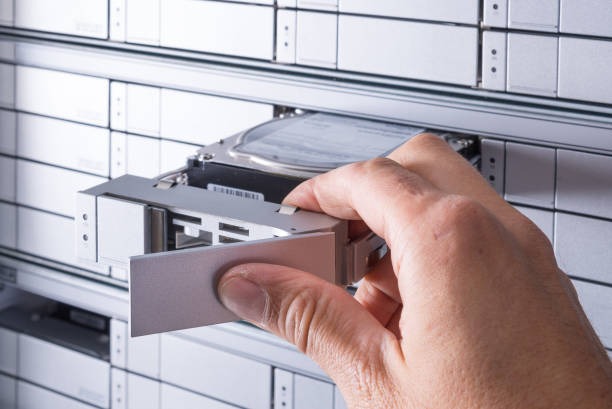
RAID Recovery: How to Safely Restore Data from RAID Systems
In today’s digital world, data storage and reliability are pivotal for businesses and individuals alike. Redundant Array of Independent Disks (RAID) systems play a significant role in ensuring data is safely stored and accessible. However, no technology is entirely foolproof, and even RAID systems can encounter issues leading to potential data loss. In such situations, RAID recovery becomes an essential solution to restore valuable information.
RAID systems distribute data across multiple disks to increase reliability, optimise performance, or balance both aspects—depending on the RAID level deployed. Enterprises and individuals often trust RAID configurations like RAID 0, RAID 1, RAID 5, and others for these benefits. Despite their resilience, RAID configurations can fail due to various reasons such as hardware failures, software issues, or human error.
Understanding the cause of a RAID failure is crucial to addressing the issue effectively. Hardware failure, often arising from disk malfunctions, is a common culprit. Each RAID level responds differently to disk failure, making the identification of the malfunction slightly complex. In some cases, multiple disks may fail simultaneously, rendering the entire RAID array unusable.
Software problems, such as corrupt RAID controller software or malfunctioning drivers, can also jeopardise data integrity. Upgrades or corruption in RAID management software could complicate data accessibility, leading to the necessity for RAID data recovery.
Human error, including accidental deletions, misconfiguration of RAID settings, or incorrect rebuilds, can compromise data integrity within a RAID system. Often, businesses and individuals attempt to resolve these issues in haste, which can exacerbate the problem, making data recovery more challenging.
When facing RAID failure, it’s imperative to act cautiously. Here’s a step-by-step guide to safely navigate through RAID recovery:
1. Diagnose the Situation Accurately
Before attempting any recovery, ascertain the nature of the failure. Is it a hardware, software, or configuration-related issue? Accurate diagnosis will guide your next steps. Avoid turning the affected RAID system off and on repeatedly, as this might worsen the situation.
2. Avoid Rebuilding Prematurely
Rebuilding the array without understanding the problem can lead to data overwriting, making recovery almost impossible. It’s essential to have a full understanding of the RAID array’s condition before proceeding with any rebuild.
3. Consult RAID Recovery Experts
Sometimes, involving professionals can save the day. RAID recovery specialists possess the tools and knowledge to safely extract data from deteriorating systems. They can offer insights that a DIY approach might miss, ensuring the integrity of your data during the recovery process.
4. Ensure Proper Backup and Documentation
Prevention is better than cure. Regularly back up your data and maintain detailed documentation of your RAID configuration and any changes made. In case of failure, up-to-date backups can significantly mitigate data loss, saving time and resources during recovery.
Data is a cornerstone asset for modern businesses, and ensuring its availability and integrity is of paramount importance. RAID systems offer substantial data protection, but they too can falter. With the right approach and expert help, RAID recovery can be accomplished efficiently, safeguarding your critical information from permanent loss. Being informed about RAID recovery protocols and implementing preventive measures can make all the difference in maintaining data resilience.